Blog

  • Chess Web Programming: Part One: Getting Started

    Chess Web Programming: Part One: Getting Started

    Getting Started with Chess Web Application Programming

    In October 2023, I began learning modern web programming and used Chessboard Magic as my first major project. What started as a way to practice my skills has grown into something much larger—Chessboard Magic now includes 34 different chess-based applications! Building it was both a rewarding challenge and a fantastic way to dive deeper into web development, and now I’m excited to share this journey with you.
    This guide is the first in a series that will walk you through every step, from setting up the board layout to enabling piece movement and adding interactive game logic. Whether you’re here as a chess lover or simply curious about coding a board game, I hope these steps inspire you to create something of your own.

    Getting Started

    In this first part, we’ll set up the foundation for our Chess Web Application using React, one of the most popular web frameworks. React allows us to create dynamic and responsive user interfaces, making it an ideal choice for building an interactive chessboard. To help us manage the chessboard visuals and functionality, we’ll leverage React-Chessboard, a powerful library for rendering chessboards in React applications. Additionally, we’ll use Chess.js, a JavaScript library that handles the game’s rules and logic, enabling us to validate moves and manage game state with ease.
    By the end of this section, you’ll have a basic React application set up, complete with an interactive chessboard.
    Note: This guide was written with Windows users in mind.

    Software

    Before we dive into coding, let’s set up the tools we’ll use for this project. We’ll work within Microsoft Visual Studio Code (VS Code), a powerful and widely used code editor, and we’ll use Node Package Manager (NPM) to manage the libraries and dependencies that bring our application to life.

    1. Microsoft Visual Studio Code (VS Code)

    VS Code is a free, open-source code editor developed by Microsoft. It’s popular among developers because of its extensive features, customizable extensions, and support for various programming languages. For this guide, we’ll assume you’re using VS Code as your main workspace for writing, organizing, and debugging code.
    Installation:

    • Go to the official VS Code website.
    • Click on the Download for Windows button (or choose your operating system).
    • Once downloaded, open the installer and follow the installation prompts.
    • After installation, launch VS Code. You can also explore additional extensions later to enhance your coding experience with features like code formatting, debugging, and more.

    2. Node.js and NPM (Node Package Manager)

    Node.js is a JavaScript runtime that lets you run JavaScript outside the browser, while NPM is the default package manager for Node.js. NPM allows us to install and manage third-party libraries that we’ll use to build our application, like ReactReact-Chessboard, and Chess.js.
    Installation:

    • Go to the official Node.js website.
    • Download the LTS (Long Term Support) version, which includes NPM.
    • Run the downloaded installer and follow the prompts to complete the installation.

    3. Using the Terminal to Check Installation

    After installing Node.js and NPM, let’s verify that they’re set up correctly using the terminal in VS Code. The terminal (or command-line interface) allows you to type text commands to interact with your computer’s operating system—a tool we’ll use throughout this guide for running scripts, installing libraries, and more.
    To open the terminal in VS Code:

    • Open VS Code.
    • Click on Terminal in the top menu, then select New Terminal.
    • A terminal window will appear at the bottom of your VS Code screen.

    In this terminal, type the following commands to check that Node.js and NPM are installed:

    • Check Node.js version: Type node -v and press Enter. You should see a version number (e.g., v18.14.0), which confirms that Node.js is installed.
    • Check NPM version: Type npm -v and press Enter. This will show the NPM version, indicating that NPM is also installed.

    If both commands display version numbers, you’re all set! We’ll be using VS Code and the terminal regularly, so having them set up will ensure a smooth experience as we build our Chess Web Application.
    Note: If you encounter the error: npm.ps1 cannot be loaded because running scripts is disabled on this system
    This happens because PowerShell has restrictions on script execution for security reasons. To resolve it, you can enable script execution with these steps:

    1. Open PowerShell as Administrator: Search for “PowerShell” in the Start menu, right-click on it, and select Run as Administrator.
    2. Set Execution Policy: In the PowerShell window, run the following command: Set-ExecutionPolicy RemoteSigned -Scope CurrentUser
    3. Confirm: When prompted, type Y and press Enter to allow the change.

    Creating the Project

    Now that we have our tools set up, let’s start by creating a new React application and installing the libraries we need: react-chessboard and chess.js. React will provide the foundation for our app, react-chessboard will render the chessboard, and chess.js will handle the game logic.

    Step 1: Create a New React Application

    We’ll use Create React App, a popular toolchain for quickly setting up a React project with a basic file structure and configuration.

    1. Open VS Code and go to the Terminal

    • Click on Terminal in the top menu and select New Terminal.
    • This will open the terminal at the bottom of the VS Code window, allowing you to run commands directly within VS Code.

    2. Navigate to the directory where you want to create the project. For example:

    cd path\to\your\projects

    Note on Terminal Navigation (Windows):

    • cd [folder-name]: Changes the current directory to the specified folder.
    • cd ..: Moves up one level in the directory structure (back to the parent folder).
    • dir: Lists the files and folders in the current directory.
    1. Run the following command to create a new React application:
    npx create-react-app myfirstchessapp
    • npx allows us to run npm packages without needing to install them globally.
    • create-react-app is a tool that sets up a new React project with a standard structure and configuration files.
    • myfirstchessapp is the name of your project folder. You can replace it with any name you like.

    4. Open the Project Folder in VS Code:
    To open the folder directly from within VS Code, you can click on File > Add Folder to Workspace… and select the myfirstchessapp folder.
    5. Navigate into the project directory (if you’re not already in it):

    cd myfirstchessapp

    6. To verify that everything works, run the app:

    npm start

    This will start a development server and open the app in your default browser. You should see a basic React page with a welcome message, confirming that the project is set up correctly.
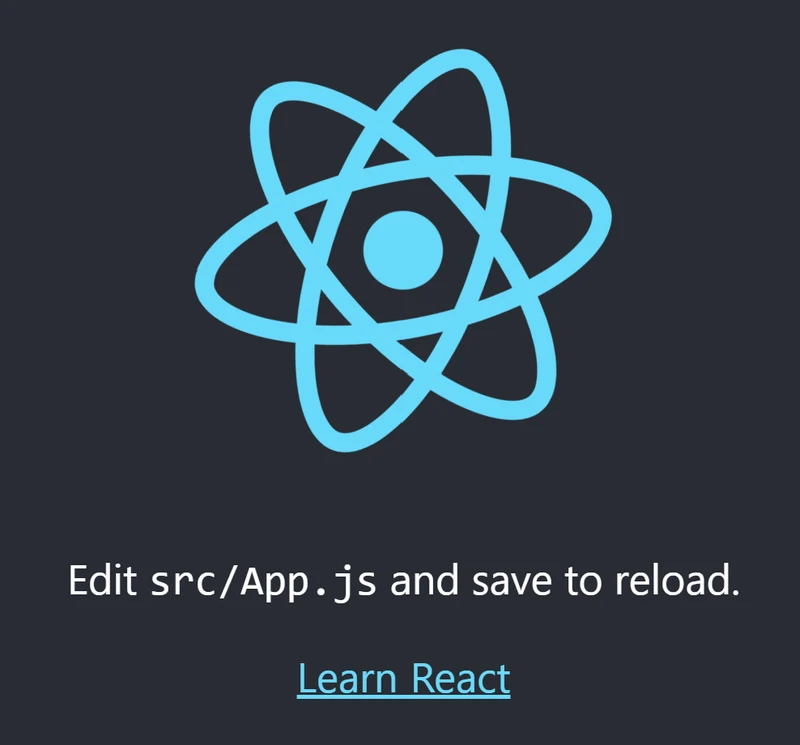
    image.png

    Step 2: Install React-Chessboard and Chess.js

    Now that we have our React application ready, let’s install react-chessboard and chess.js.
    1. In the terminal, make sure you’re in your project directory (myfirstchessapp) and run the following command:

    npm install react-chessboard chess.js
    • react-chessboard is a React component that makes it easy to display a chessboard in your application. It handles all the graphical representation of the board and pieces.
    • chess.js is a JavaScript library that provides the rules and logic for chess. It can validate moves, track the game state, and detect checkmates or stalemates.

    By installing these libraries, we’re adding them to our project’s dependencies, which will allow us to import and use them in our code.

    Step 3: Check the Installed Packages

    To confirm that react-chessboard and chess.js were installed correctly, you can check the package.json file in the root of your project directory.
    1. Open package.json in VS Code.
    2. Look for the dependencies section, which should include entries for react-chessboard and chess.js. It should look something like this:

    "dependencies": {
        "react": "^18.0.0",
        "react-dom": "^18.0.0",
        "react-scripts": "5.0.0",
        "react-chessboard": "^1.4.0",
        "chess.js": "^1.0.0"
    }

    With these libraries installed, you’re ready to start building the chessboard in the next steps! We’ll use react-chessboard to create an interactive board, and chess.js to handle the rules and logic of the game.

    Developing the Application

    With our project and dependencies set up, let’s start building the core functionality of our chess application. In this section, we’ll edit the App.js file to display a chessboard using react-chessboard and validate moves using chess.js. This will allow us to ensure that only legal moves are accepted on the board and handle any errors for invalid moves gracefully.

    Step 1: Set Up App.js

    1. In VS Code, open the App.js file located in the src folder of your project.
    2. Replace the contents of App.js with the following code to import react-chessboard and chess.js and set up a basic chessboard component with move validation and a fixed width.

    import React, { useState } from 'react';          // Import React and useState to manage state
    import { Chessboard } from 'react-chessboard';    // Import Chessboard component from react-chessboard
    import { Chess } from 'chess.js';                 // Import Chess logic from chess.js
    
    // Main App component
    const App = () => {
      // Initialize the game state using useState with a new Chess instance
      const [game, setGame] = useState(new Chess());
    
      // Function to handle piece movement on the chessboard
      const onDrop = (sourceSquare, targetSquare) => {
        // Create a copy of the current game state using FEN notation
        const gameCopy = new Chess(game.fen());
    
        try {
          // Attempt to make the move on the game copy
          const move = gameCopy.move({
            from: sourceSquare,   // Starting square of the move
            to: targetSquare,     // Target square of the move
            promotion: 'q'        // Always promote to a queen for simplicity
          });
    
          // If the move is invalid, move will be null, so we return false to ignore the move
          if (move === null) {
            return false;
          }
    
          // If the move is valid, update the game state with the new position
          setGame(gameCopy);
          return true; // Return true to indicate a valid move
        } catch (error) {
          // Catch and log any errors that occur during the move attempt
          console.error(error.message);
          return false; // Return false to ignore the invalid move
        }
      };
    
      return (
        <div>
          <h1>Chess Game</h1>
          <Chessboard
            position={game.fen()}      // Set the chessboard position to the current game state
            onPieceDrop={onDrop}       // Trigger the onDrop function when a piece is moved
            boardWidth={500}           // Set the width of the chessboard to 500px
          />
        </div>
      );
    };
    
    export default App;  // Export the App component as the default export

    Code Explanation
    The code comments explain each line, making it clear what each part of the code does, however,

    1. Imports: We import React and useState from React, Chessboard from react-chessboard, and Chess from chess.js.
    2. App Component:
      • useState(new Chess()) initializes a new chess game in the game state.
    3. onDrop Function: This function validates and handles piece movements.
      • A copy of the game state, gameCopy, is created to test moves.
      • move is used to try the move; if move is null, it’s invalid.
      • Errors are caught with try-catch, and false is returned for invalid moves.
    4. Chessboard Component:
      • position sets the board position using game.fen().
      • onPieceDrop calls onDrop whenever a piece is moved.
      • boardWidth={500} sets the chessboard size to 500 pixels.
    5. Exporting the App ComponentApp is exported as the default so it can be used in other parts of the project.

    In the terminal, start the development server if it’s not already running:

    npm start

    To stop the server after running npm start, use:

    Ctrl + C

    in the terminal where the server is running. When prompted to terminate the batch job, confirm by typing Y if necessary. This command will gracefully shut down the server.

    Step 2: Run the Application

    Open your browser to view the application. You should see a chessboard with a fixed width of 500px and be able to move pieces. Each move will be validated by chess.js, allowing only legal moves on the board.
    With this setup, you now have an interactive chessboard that validates moves. When a piece is moved, chess.js checks whether the move is legal. If it is, the move is applied; if not, the piece remains in its original position, and any errors are handled without breaking the application.
    image.png
    This provides a solid foundation for further enhancements to your chess application.

    Summary

    In this guide, we walked through the initial steps of creating a Chess Web Application using React, react-chessboard, and chess.js. Starting from setting up the development environment, we covered how to create a new React application and install the necessary libraries. We then built a functional chessboard by integrating react-chessboard for the board display and chess.js for move validation. Along the way, we implemented error handling to ensure invalid moves are gracefully managed, providing a solid foundation for building a chess application.
    This is just the start. In subsequent blog posts, I’ll dive deeper by covering topics like integrating Stockfish (a powerful chess engine), exploring more features of react-chessboard and chess.js, and adding new functionality. Through these steps, I hope to encourage and inspire you to explore your own chess projects and push the boundaries of what you can build.

    Learn More

    • React: A popular JavaScript library for building user interfaces, especially single-page applications. React.js Documentation
    • react-chessboard: A React component for rendering chessboards, offering a range of customization options for building interactive chess applications. react-chessboard GitHub Repository
    • chess.js: A JavaScript library that provides chess move validation, game state management, and more. chess.js Documentation
  • Chessboard Magic: October 2024 Update (Halloween)

    Chessboard Magic: October 2024 Update (Halloween)

    Hello, chess lovers! After spending close to 520 hours of coding and continuous development on Chessboard Magic, I’m taking a well-deserved short break. But before I do, I wanted to share some exciting milestones and updates with you!

    Key Stats since launch (around 5 month ago):

    • Users: Just over 4k users and growing!
    • Page Views: Just over 35k
    • Game Plays (include tools access): Just under 75k

    I couldn’t have made it this far without your support. Now, let’s dive into what’s new on Chessboard Magic.
    Visit: Chessboard Magic
    Please do leave me any thoughts, comments and feedback, as your help would be awesome.

    New Games and Updates

    I’m thrilled to introduce three brand new games that I’ve added to the site:

    • Hand and Brain: Play a fun variant where the engine acts as the brain, telling you which piece to move, but you choose the specific move.
    • Guess The Move: You are shown a position and need to guess the best move according to an engine.
    • Guess Who: You are shown a picture, and your task is to select the correct name of a famous chess personality from a list of options.

    In addition to these new games, I’ve made some minor updates:

    • Guess the Evaluation: Now shows both the engine’s numerical evaluation (e.g., White is Winning, Equal, etc.).
    • Opening Explorer: Now shows the Stockfish Evaluation bar.
    • PGN Viewer: I have also built a simple PGN Viewer (which I hope to make far more useful in the future)
    • Various cosmetic tweaks to several other games, including improved visuals.
    • The site has also been given a splash of colour to enhance the user experience.
    • Several bug fixes (thank you for reporting to me).

    Chessboard Magic Goes PWA!

    I’m excited to announce that Chessboard Magic has now been converted into a Progressive Web Application (PWA)! But what does that mean for you?
    PWA allows you to install Chessboard Magic directly onto your device—whether it’s your phone, tablet, or computer. You’ll notice a new install button on the website. By clicking this button, all the essential files from Chessboard Magic are downloaded onto your device. This means you can access and play all your favourite games much faster, and even if you’re offline or have a poor internet connection, you can still use most of the site’s features!
    The total install is around 30MB (mainly due to the images used in the games and puzzles). But once downloaded, everything will load much quicker, and you won’t need to rely on your internet connection to access it.
    Here’s how it works:

    1. Visit Chessboard Magic on your preferred browser.
    2. You’ll see a prompt or a button to “Install App” in the menu (download button at the bottom) —click it!
    3. Once installed, Chessboard Magic will appear just like any app on your home screen (on mobile) or as a shortcut (on desktop).
    4. Now you can open it with a single tap or click, and you won’t need to reload the site each time—it’s ready to go!
    5. Whether you’re on a plane, traveling without Wi-Fi, or in a place with poor signal, Chessboard Magic is at your fingertips.

    This new feature makes it easier than ever to practice, play games, and explore all the content Chessboard Magic has to offer—anytime, anywhere, with or without the internet.

    Expanding Language Support

    I’ve heard from many of you asking for Chessboard Magic to be available in more languages, and I’m excited to share that this is now a reality. You can now enjoy Chessboard Magic in French, German, Spanish, Arabic, Chinese, Russian, Hindi, and Vietnamese (I am Vietnamese).
    With this update, users from around the world can explore and play in the language they’re most comfortable with.
    Here’s what’s new:

    • Language Options: You can now select your preferred language directly from the menu.
    • Translations: Most of the site’s content has been translated (with assistance from ChatGPT), but please feel free to reach out if you notice any unusual or incorrect translations.
    • Automatic Language Detection: Chessboard Magic will automatically choose the language based on your browser settings, but you can change it anytime if needed.

    This update is part of my ongoing effort to make Chessboard Magic more inclusive and accessible to everyone, no matter where you’re from.

    Full Catalogue of Chessboard Magic

    Here’s the complete list of games, tools, and learning resources currently available on Chessboard Magic, all free with unlimited usage:
    Games (12):

    Analytics (2):

    Learn (3):

    Library (7):

    Tools (4):

    Yes, I have been pretty busy (28 items to explore in total as well as learning Web Development and building out the platform).

    Coming Soon – Learning Platform & AI Integration

    I’m very excited about what’s coming next! My goal is to create a learning platform tailored for people like me who started chess as adults. I began my chess journey 3 years ago and have worked my way up to a 2000 rating in Rapid on both Chess.com and Lichess. While I’m not a titled player, I’ve developed my own methods of studying and improving, and I’m eager to share those insights with you.
    In addition, I’m exploring the integration of AI or a Large Language Model (LLM) into the User Scout and Opponent Prep tools. Both tools are currently in their Alpha versions, but I believe there’s a ton of untapped potential here to enhance your chess preparation. I will be releasing my first attempt called Minerva, which will eventually be an open source project.

    A Heartfelt Thank You

    Thank you for being a part of this magical journey. Since our launch on May 27, 2024, we’ve come a long way with your support, and this is only the fourth release. Your feedback and engagement have been invaluable, pushing me to keep improving and expanding Chessboard Magic.
    If you’ve enjoyed my site, please tell a friend about it, share it on social media, and help spread the word. Stay tuned for more updates, and until next time—happy chess playing!

    Warm regards,
    Toan Hoang (@HollowLeaf)
    Creator of Chessboard Magic

  • ChessboardMagic.com: New Opponent Preparation Tool and more…

    ChessboardMagic.com: New Opponent Preparation Tool and more…

    Hello chess enthusiasts! I’m thrilled to share some exciting news with you. I’ve decided to increase the frequency of my updates and release more games and tools for you to enjoy. Whether you’re looking to sharpen your skills, explore classic games, or simply have fun, these new updates are designed to enhance your chess experience. Let’s dive into what’s new!

    chessboardmagic.com

    Opponent Prep: Your New Strategic Tool

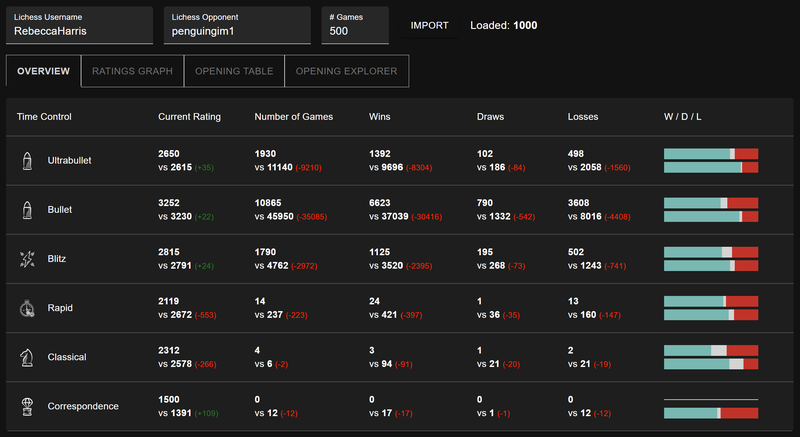
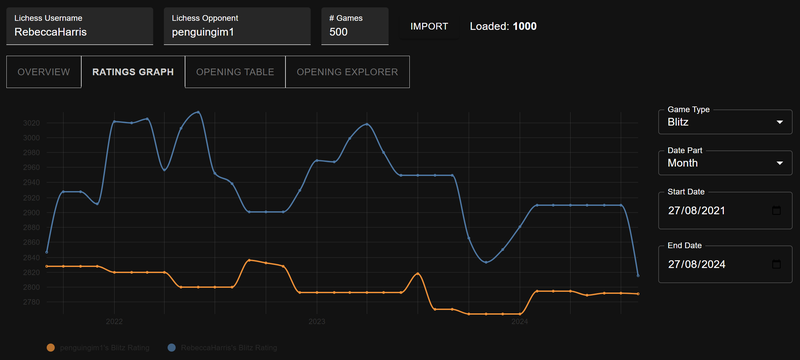
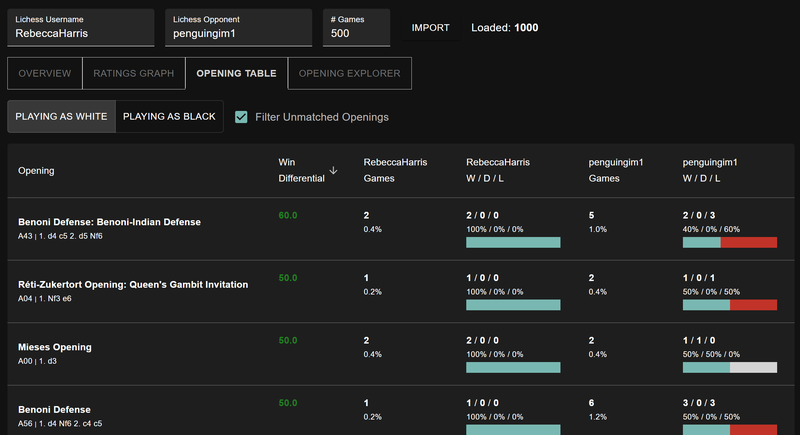
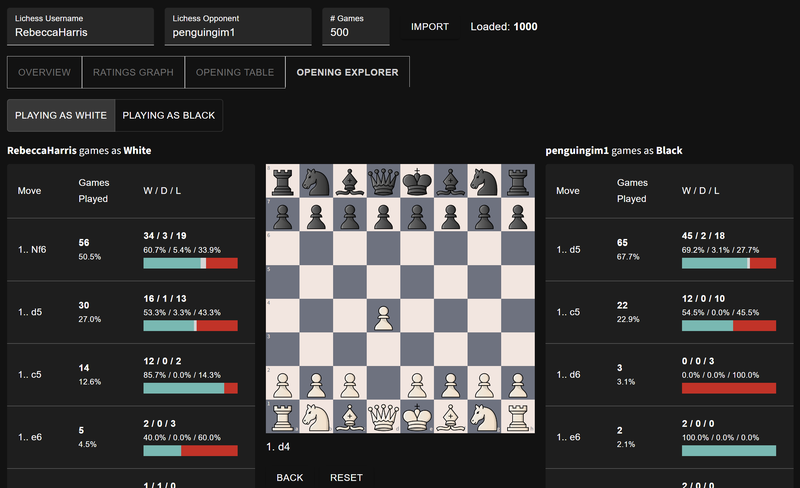
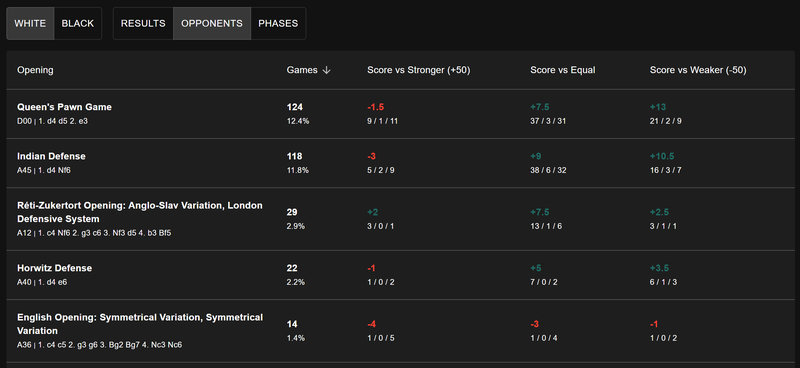
    One of the standout features in this update is the new Opponent Prep tool. This feature is perfect for those who want to gain a competitive edge before a match. By entering two Lichess profiles, Opponent Prep will compare the profiles and provide you with valuable insights into the matchup.
    With Opponent Prep, you can access a historical comparison of the ratings, which shows how each player has progressed over time. You’ll also get detailed opening statistics, revealing what openings your opponent favours and how successful they’ve been with them. The tool even goes further by comparing what each player tends to play in a given position, complete with relevant statistics. This feature is a game-changer for anyone serious about improving their chess strategy and preparing for upcoming matches.
    image.png
    image.png
    image.png
    image.png
    https://chessboardmagic.com/opponentprep

    Other Updates

    Homepage Cosmetic Updates
    The homepage has received a fresh new look. The updated design is more intuitive, making it easier for you to navigate and find what you’re looking for. Whether you’re searching for new tools or exploring the library, the revamped homepage is designed to enhance your overall experience. I have also added Share functionality and randomly highlighting an item each day.

    Chess Miniatures Added to the Library Section
    I’ve added a new collection of Chess Miniatures to the library section. These short, yet brilliant games are not only fun to watch but also educational. Analyzing these miniatures can help you understand how top players capitalize on even the smallest mistakes to secure a swift victory. Dive into these games to see how chess masters win in 25 moves or less!
    https://chessboardmagic.com/miniaturegames

    Expanded Classic Games Collection and New Random Functionality
    The classic games section has been expanded with even more legendary games from the history of chess. Additionally, I’ve added a feature that allows you to pick a random classic game, so you can discover new gems with just a click. This feature is perfect for those moments when you want to learn from the greats but aren’t sure where to start.
    https://chessboardmagic.com/classicgames

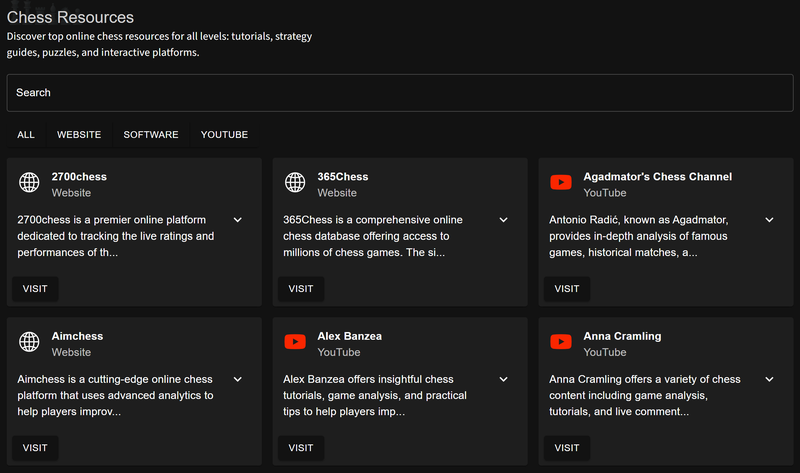
    New Chess Resources in the Learn Section
    I’m excited to introduce a Chess Resources section in the new Learn section of the website. Currently, it includes foundational materials, and more content will be added soon, covering Chess BasicsChess Principles, and Chess Openings. Whether you’re a beginner or looking to reinforce your knowledge, this section will soon become a valuable resource for improving your game.
    image.png
    https://chessboardmagic.com/chessresources

    Thank You for Your Support!

    Thank you for being part of this magical journey. Since our launch on the 27th of May 2024, we are still new and growing organically (this being the fourth release). Your support and feedback have been invaluable, driving me to keep improving and expanding Chessboard Magic. Please tell a friend about Chessboard Magic, share it on social media, and help spread the word. Stay tuned for more updates, and happy chess playing!

    Warm regards,
    Toan Hoang (@HollowLeaf)
    Creator of Chessboard Magic

  • Welcome to Chessboard Magic! August 2024 Update (Explore Chess)

    Welcome to Chessboard Magic! August 2024 Update (Explore Chess)

    I’m thrilled to announce the latest update to Chessboard Magic (Explore Chess), featuring the long-awaited Analytics section, an expanded game library, and new tools and games to enhance your chess experience. Your incredible support has driven me to continuously improve and expand, and I can’t wait to share these exciting updates with you!

    Since October 25, 2023, when I started learning modern web technologies, I have clocked in a little under 400 hours. That is equivalent to 10 full weeks of work, which is shocking when I think of it. This is on top of learning chess, working a full-time job, and being a new dad. However, it has been an awesome learning journey, and I hope you all enjoy the results. Stay tuned for these exciting developments, and thank you for your continued support and enthusiasm as we embark on the next steps of this magical chess journey!

    Visit Chessboard Magic to explore all these exciting new features!

    New Games

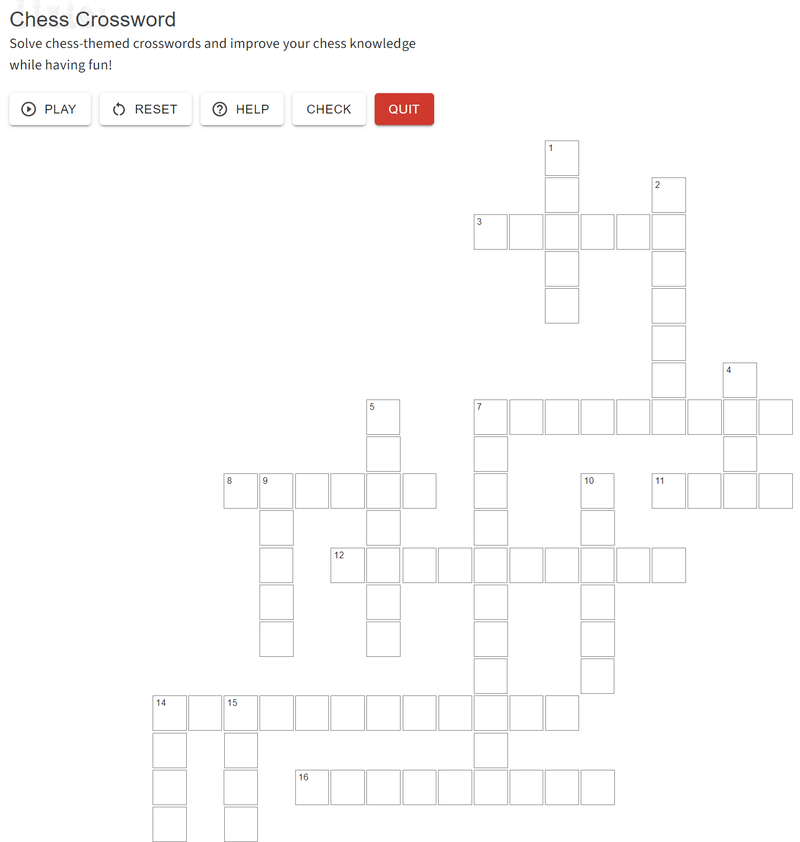
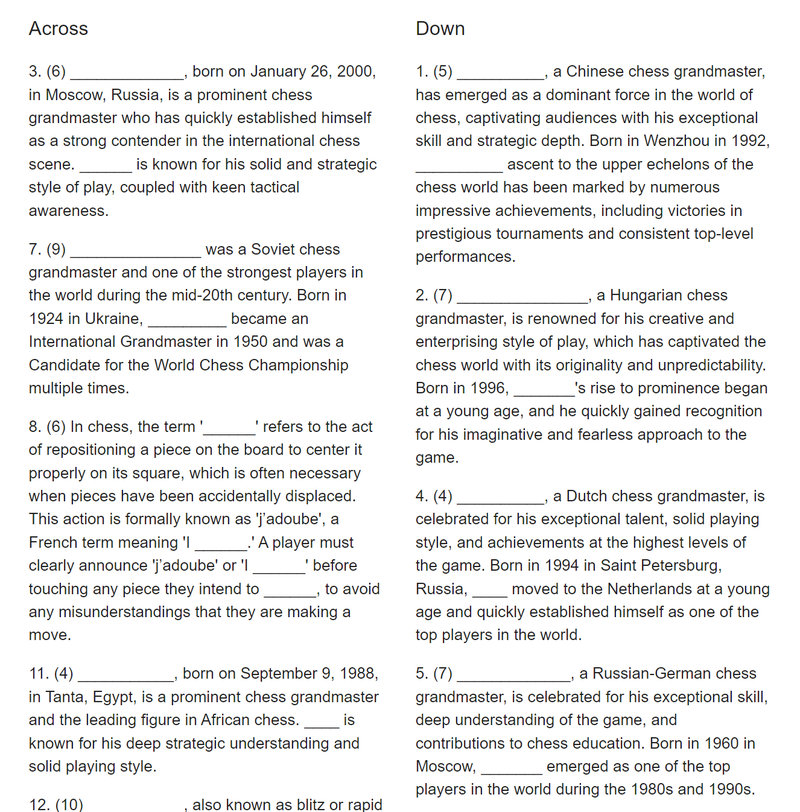
    Chess Crossword
    Solve chess-themed crosswords and improve your chess knowledge while having fun. This game is perfect for those who enjoy a good challenge and want to learn more about chess terminology and history.
    https://chessboardmagic.com/crossword
    image.png
    image.png
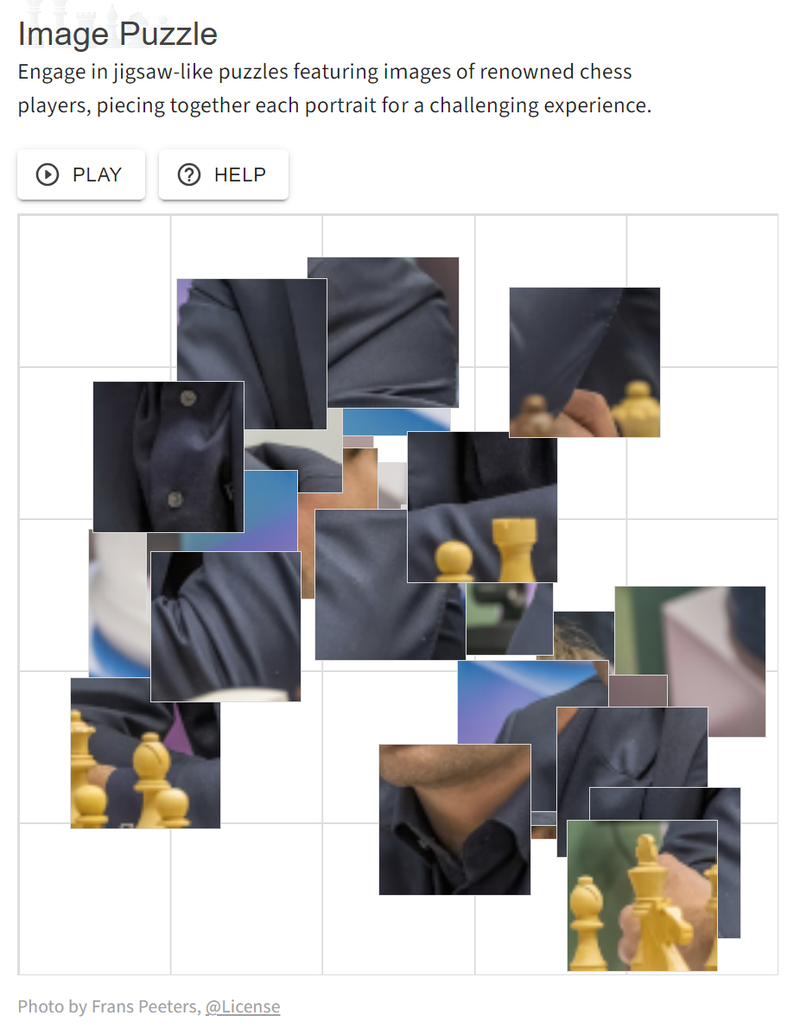
    Chess Image Puzzle
    Engage in jigsaw-like puzzles featuring images of renowned chess players. Piece together each portrait for a challenging and entertaining experience that also enhances your pattern recognition and spatial awareness. This took ages to put together, but I am super happy with the result and it’s one of the games that I like to play on my phone.
    https://chessboardmagic.com/imagepuzzle
    image.png

    Analytics

    User Scout (v0.1.alpha)
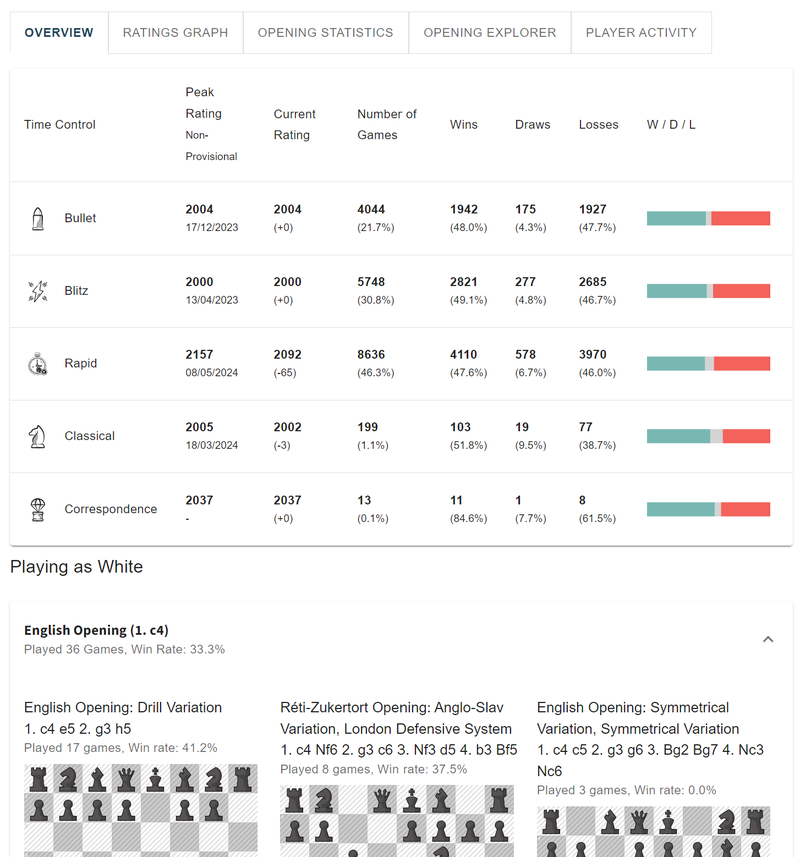
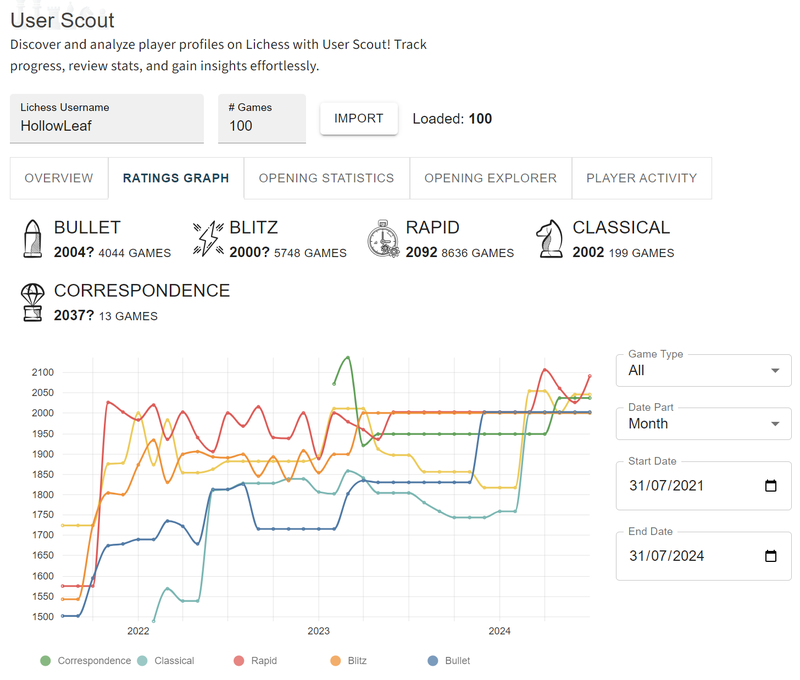
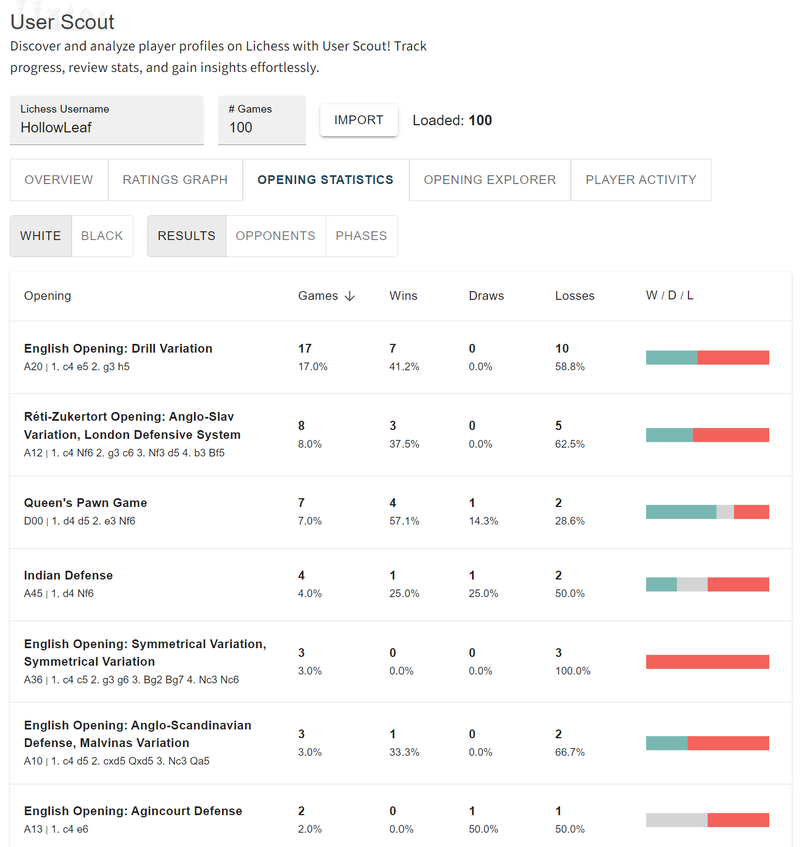
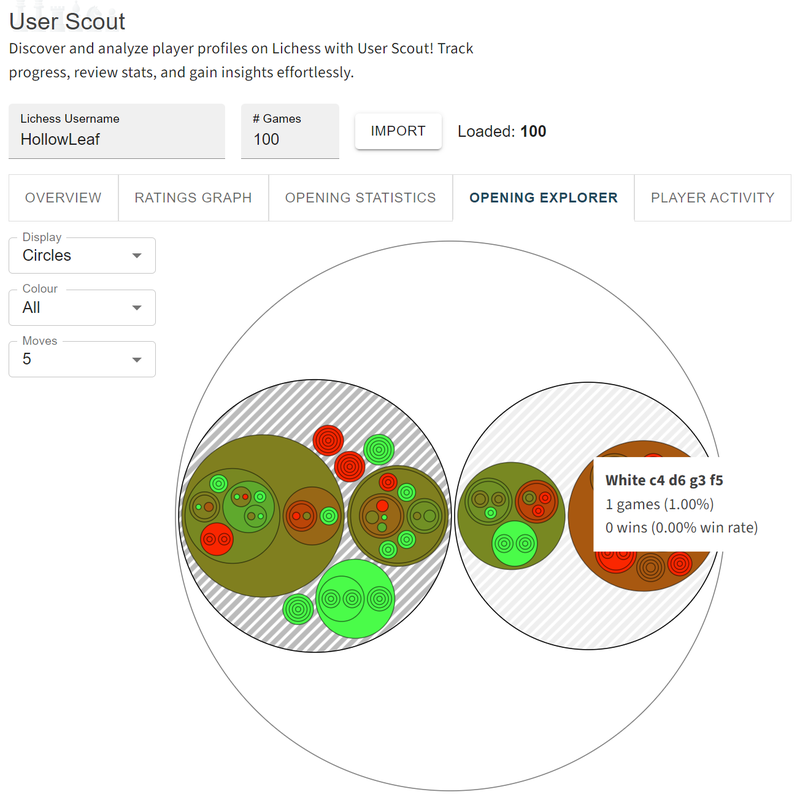
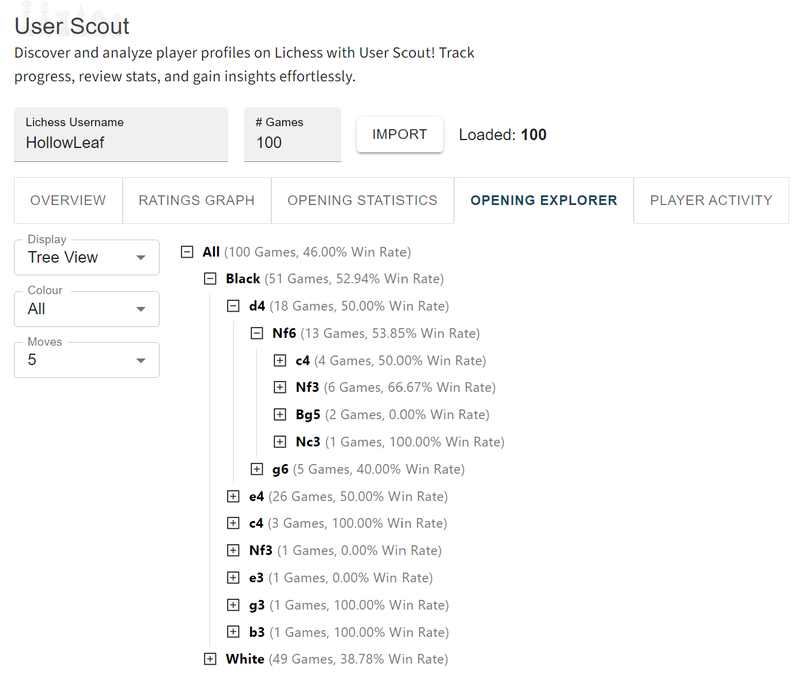
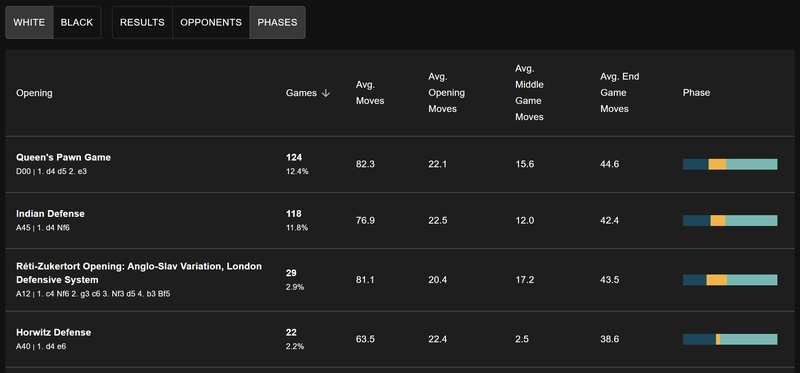
    Explore Lichess profiles with my new User Scout application. This tool allows you to delve into statistics, opening strengths, and weaknesses of players. It’s an excellent way to analyze your opponents and improve your strategic planning. This is just a first stab, and I have tons of ideas for future features to make it even more insightful and comprehensive.
    https://chessboardmagic.com/userscout
    image.png
    image.png
    image.png
    image.png
    image.png

    Tools

    Notation Trainer Update
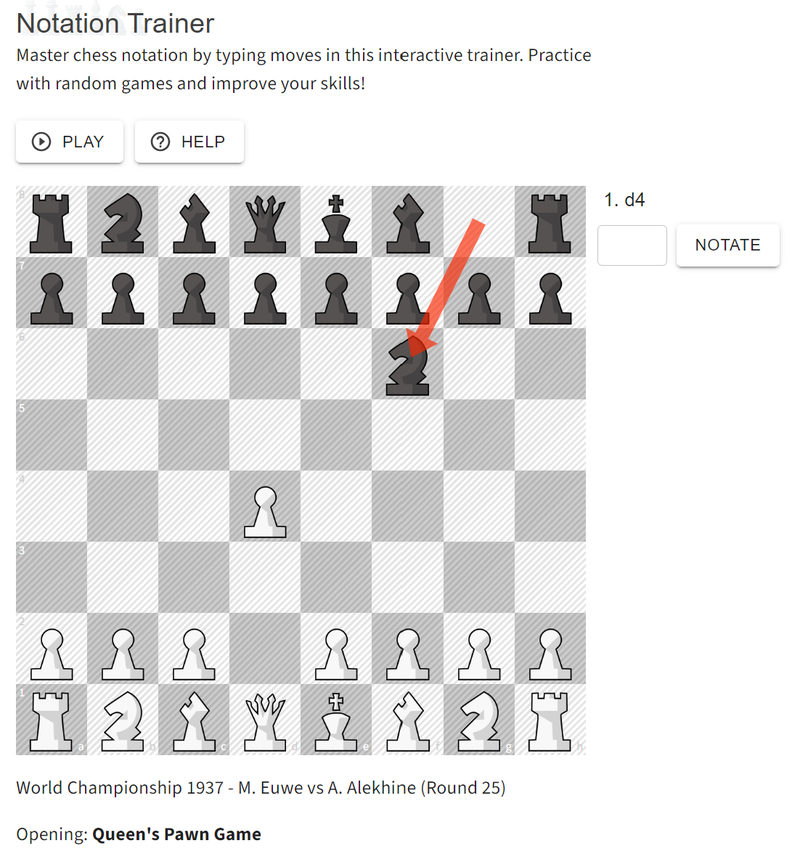
    The Notation Trainer has been updated to include games based on World Championship matches and a selection of Classic Chess Games. Additional fixes include the addition of arrows to indicate the current move and progressing after three incorrect guesses. Coincidentally, this is my favourite tool on the Chessboard Magic, and I hope you find it as useful and enjoyable as I do.
    https://chessboardmagic.com/notationtrainer
    image.png
    GIF Generator
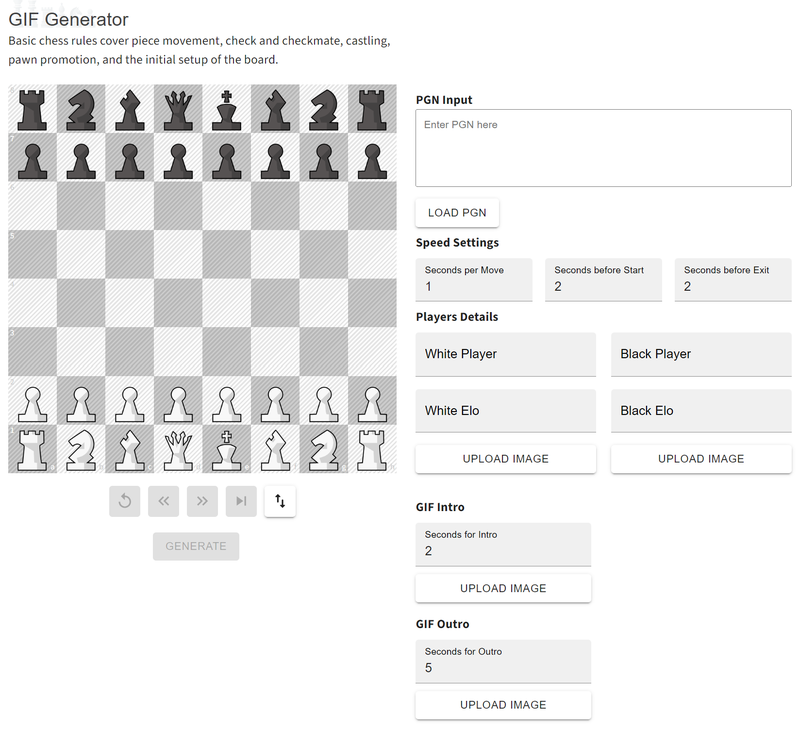
    Turn Chess PGNs into visually engaging sequences effortlessly with my new GIF Generator. Now you can create your own chess GIFs, perfect for sharing on social media.
    https://chessboardmagic.com/GifGenerator
    image.png

    New Library Items

    World Chess Championships
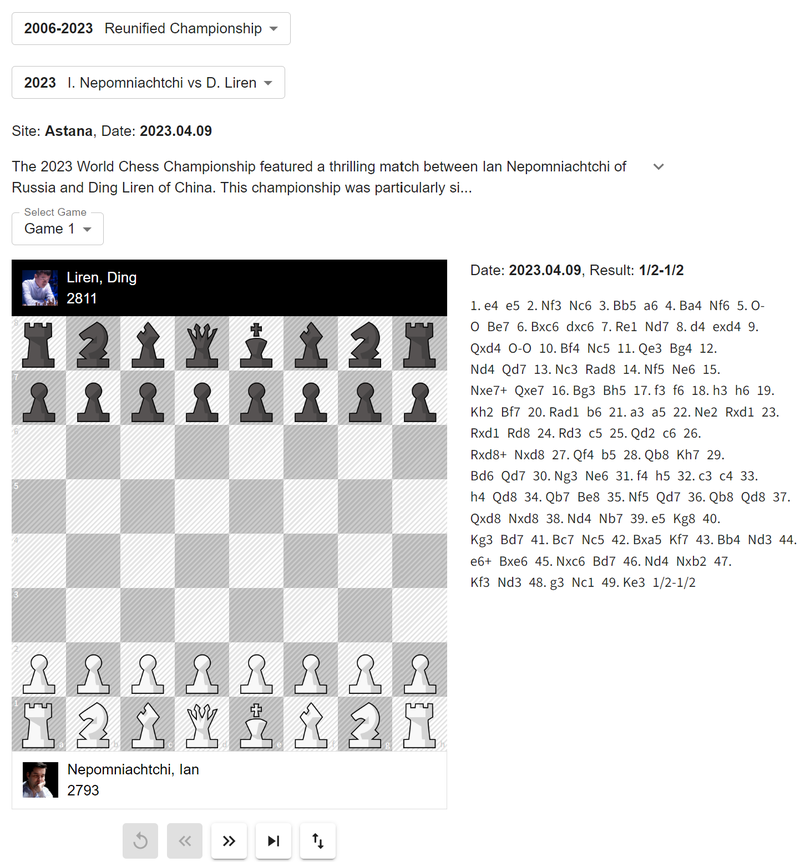
    Explore and play through World Chess Championship games from 1886 to 2023, featuring matches from the world’s top players. This library is a treasure trove of historical and strategic insights.
    https://chessboardmagic.com/worldchampionships
    image.png
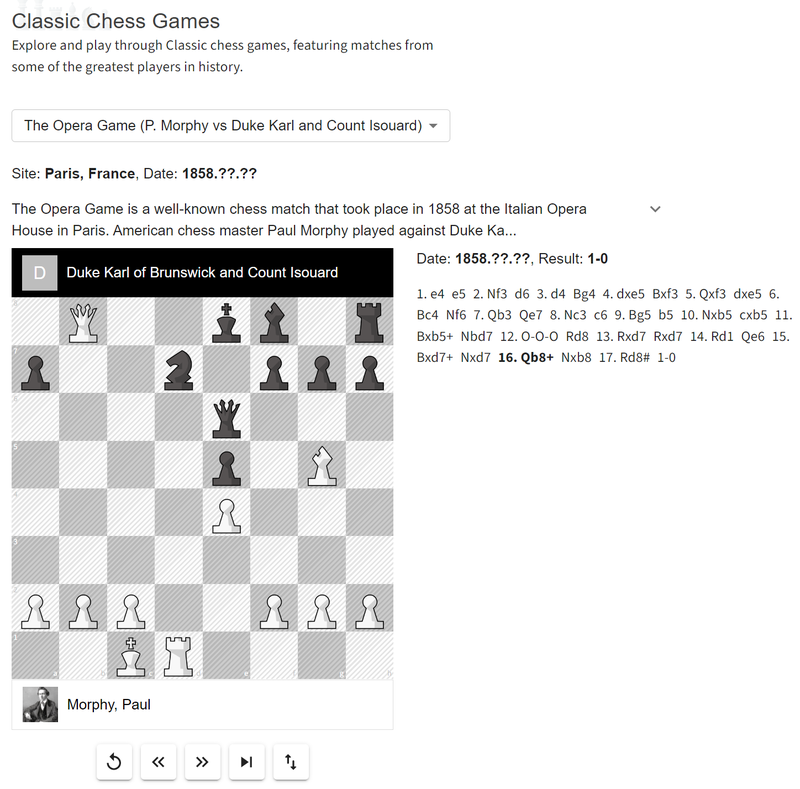
    Classic Chess Games
    Delve into classic chess games, featuring matches from some of the greatest players in history. Learn from the masters and enhance your understanding of timeless strategies.
    https://chessboardmagic.com/classicgames
    image.png
    FIDE Rules of Basic Play
    Access the basic rules of chess, including piece movement, check and checkmate, castling, pawn promotion, and the initial setup of the board. This resource is invaluable for both beginners and seasoned players looking to refresh their knowledge.
    https://chessboardmagic.com/basicrulesofplay
    FIDE Rules of Competitive Play
    Ensure fair play with competitive chess rules, covering player conduct, piece movement, clock use, and dispute resolution. This section is essential for players interested in competitive chess and tournaments.
    https://chessboardmagic.com/competitiverulesofplay

    Other Updates

    Home Page Update
    I’ve revamped the home page to maximize space and provide a better user experience. The new design is cleaner and more intuitive, making it easier to navigate and find what you need.
    Increased Game Counts
    I’ve significantly increased the number of games in Guess the Elo and the number of positions in Guess the Eval. More content means more opportunities to test and improve your skills.
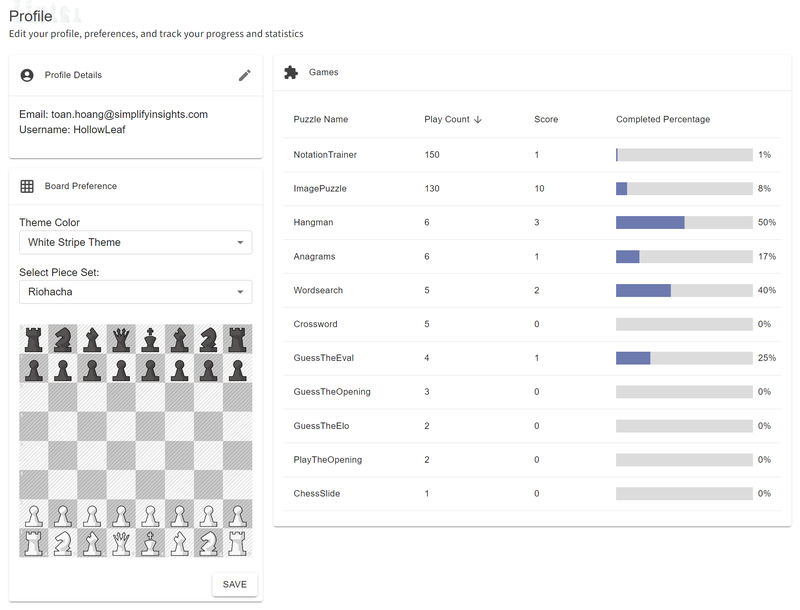
    User Profiles
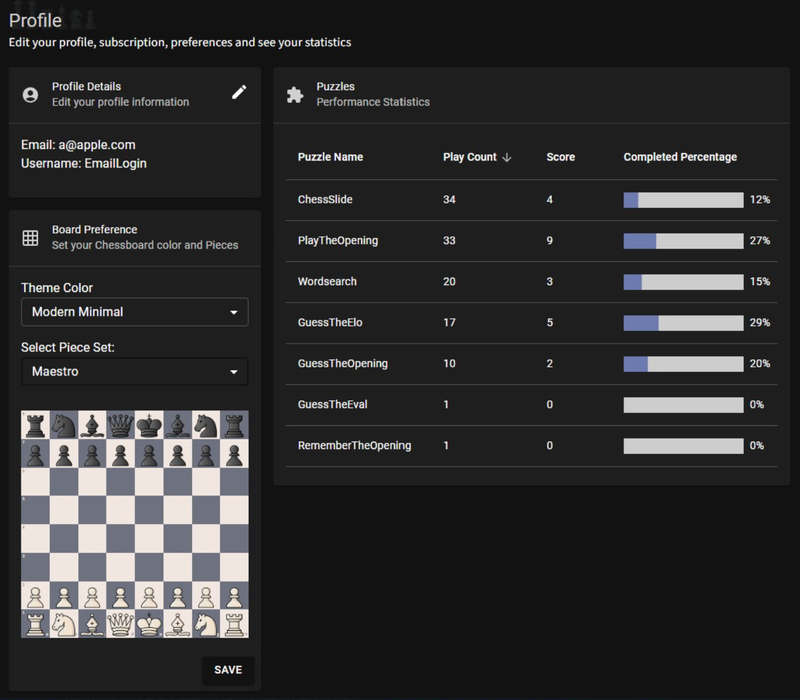
    You can now log in to see your statistics and customize your chessboard and piece theme. I’ve added a variety of pieces from Lichess and numerous board colour combinations to choose from (my favourite is White Stripe Theme with Riohacha pieces).
    image.png

    Next Update

    As I look forward to the future of Chessboard Magic, I’m excited to share the upcoming updates that will continue to enhance your chess experience. One of the major additions will be the new Learn Section, designed to help players of all levels improve their skills. This section will cover Chess Basics, fundamental Chess Principles, and Learning Openings. Whether you’re a beginner looking to learn the ropes or an experienced player aiming to refine your strategies, this section will have something for you (hopefully). If you are an experienced player or coach and would like to contribute your expertise, please get in touch—I would love to collaborate and share your knowledge with the Chessboard Magic community.
    In addition to the Learn Section, I’m working on expanding the Analytics tools to include importing and combining your Lichess games with those from Chess.com, providing a holistic view of your play (yes, some of us bounce between platforms). These updates aim to provide deeper insights into your playing style, helping you pinpoint areas for improvement. New tools will offer advanced analytics, giving you a more comprehensive understanding of your strengths and weaknesses. Furthermore, I plan to integrate Stockfish into the site and explore AI applications. As someone who works in data analytics, this aspect of the project is particularly exciting for me.
    The next major update will be coming early in 2025 as I am on sabbatical now and need a nice break. This update will bring even more features and improvements to Chessboard Magic, continuing our commitment to providing you with the best chess experience possible. Stay tuned for more details as we get closer to the release date!

    Thank You!

    Thank you for being part of this magical journey. Since our launch on the 27th of May 2024, we are still new and growing organically. Your support and feedback have been invaluable, driving me to keep improving and expanding Chessboard Magic. Please tell a friend about Chessboard Magic, share it on social media, and help spread the word. Stay tuned for more updates, and happy chess playing!

    Warm regards,
    Toan Hoang (@HollowLeaf)
    Creator of Chessboard Magic

  • Chessboard Magic: Exciting New Updates and Features

    Chessboard Magic: Exciting New Updates and Features

    Welcome to Chessboard Magic! I’m excited to announce the July 2024 release of the Alphabet of Chess, featuring new games like Chess Anagrams, Chess Hangman, and Chess Wordsearch, along with tools such as Chess Quotes and Chess Glossary. Your support has been incredible, and I’m committed to making Chessboard Magic even better.

    On May 27, 2024, I introduced Chessboard Magic to the world without knowing what the future held. Fast forward to today, July 5, 2024 (less than six week) and I am truly overwhelmed by the incredible response and support. This journey has been nothing short of magical, and I wanted to take a moment to share some exciting updates with you all.
    Https://chessboardmagic.com

    Amazement

    Since the launch of Chessboard Magic, I have been absolutely blown away by the incredible response. The site has garnered an amazing 20,000 page views and attracted 1,800 unique users from all corners of the globe. In such a short period, there have been over 50,000 game plays! This level of engagement has been beyond my wildest expectations and has truly taken me by surprise.
    Thank you for being part of this magical journey. Your support not only inspires me but also drives me to continue improving and expanding Chessboard Magic. I look forward to sharing many more exciting updates and adventures with you all.

    July 2024 Release – Alphabet of Chess

    I am happy to announce the latest update to Chessboard Magic: the Alphabet of Chess. This exciting update introduces a variety of new word-based chess games and tools that promise to add a fresh layer of fun and challenge to your chess experience.

    • Chess Anagrams: Put your vocabulary and chess expertise to the test by rearranging letters to discover chess-related terms, player names, and engine names. This game will challenge your quick thinking and recognition of chess terminology in an entertaining and interactive manner.
    • Chess Hangman: Put your guessing skills to the test by identifying chess terms or phrases before the hangman is completed. This classic game with a chess twist will keep you entertained while helping you learn new chess-related words.
    • Chess Wordsearch: Dive into a grid of letters and hunt for hidden chess-related words. This game is perfect for sharpening your observation skills and expanding your chess vocabulary.
    • Chess Quotes: Explore a large, searchable collection of inspirational and famous quotes from the world of chess. Whether you’re seeking motivation or wisdom from legendary players, this feature has you covered.
    • Chess Glossary: Access a comprehensive, searchable glossary of as many chess terms as I could find. This resource is invaluable for both beginners and advanced players looking to deepen their understanding of chess terminology.
    • Chess Notation Trainer: This allows you to practice your Chess Notation skills and was my biggest struggle when transitioning from Online to OTB Chess.

    Both the Chess Quotes and Chess Glossary will be integrated into the new Library Section, providing a centralized hub for valuable chess knowledge.
    In addition to these exciting new features, I’ve implemented several minor but valuable updates to enhance your overall experience:

    • Dark Mode: You can now toggle between light and dark mode.
    • Guess the Elo: Now includes the time control to add an extra layer of depth and realism to your guessing experience. This update will help you better understand the nuances of different game speeds.
    • Guess the Eval: This feature now shows the computer line to enhance your analysis skills, allowing you to learn from the computer’s perspective and improve your strategic thinking.
    • Increased Game Counts: I have significantly increased the number of games in Guess the Elo as well as Guess the eval. I had to do some data work, so though why not.
    • Several Small Tweaks and Quality of Life Fixes: I’ve made numerous minor improvements and adjustments to ensure a smoother and more enjoyable user experience.

    Enjoy exploring the Alphabet of Chess and the other new features, and thank you for being a part of this magical journey!

    Coming Soon

    Here are some of the exciting games and features planned for the upcoming releases:

    1. Games

    • Chess Mating Puzzles: Sharpen your tactical skills and enhance your endgame strategies with a range of mating puzzles. These puzzles will vary in difficulty, from Mate in 1 to Mate in 5, providing a comprehensive training experience that caters to all levels of chess enthusiasts.
    • Chess Sudoku: Experience a unique twist on the classic Sudoku game with this chess-themed variant. It combines the logical challenges of Sudoku with the strategic elements of chess, offering a fun and engaging way to improve both your logical thinking and chess skills.
    • Chess Image Puzzle: Piece together a chess-themed image by snapping the squares into place. This game is not only entertaining but also helps improve your pattern recognition and spatial awareness, essential skills for any chess player.
    • Prep the Board: In this game, players are given a specific chess line and must set up the board accordingly. This activity helps enhance your visualization skills and is particularly useful when studying chess books and preparing for matches.

    2. Learn Section

    I will be creating a learning section to the website, aimed at helping players of all levels improve their chess skills:

    • Chess Basics: This section covers the fundamentals of chess, including the various pieces, their movements, winning conditions, and the basic principles of the game. It’s a great starting point for beginners and a valuable refresher for experienced players.
    • Chess Strategy: I am going to have some fun here, and will try to highlight key concepts drawing inspiration from classic works like “The Art of War.” By comparing these timeless lessons to chess strategies, I will aim to provide a unique and insightful learning experience.
    • Chess Resources: Discover a curated list of free resources available for learning chess, including websites, tools, YouTube channels, and more. This section aims to highlight valuable external content that can complement your learning journey.
    • Chess Openings: While this may be added further down the line, I am planning to introduce the basics of popular chess openings. Although I am not a grandmaster (and not even that good at Chess), I can share foundational concepts and welcome contributions from more experienced players.

    3. Library Section

    Our library section will serve as a comprehensive resource hub, featuring:

    • Historical Chess Games: Study famous games like The Opera Game and The Evergreen Game. These classic matches are not only fascinating but also offer valuable lessons in strategy and tactics.
    • Chess World Champions: Explore detailed information and the rich history of world chess champions. Learn about their journeys, contributions, and the impact they’ve had on the chess world.
    • Interactive and Searchable FIDE Handbook: As I am currently training to be a Chess arbiter, I plan to include this feature if possible. It will provide an accessible and user-friendly way to explore official chess rules and regulations.

    4. Analysis Section

    Returning to the original intention of the website, the analysis section is designed to help you enhance your chess experience and growth:

    • User Analysis: Analyse your online games from Chess.com and Lichess, and receive detailed profile reports. This feature will provide insights into your strengths and weaknesses, helping you to focus on areas that need improvement.

    image.png
    image.png
    image.png
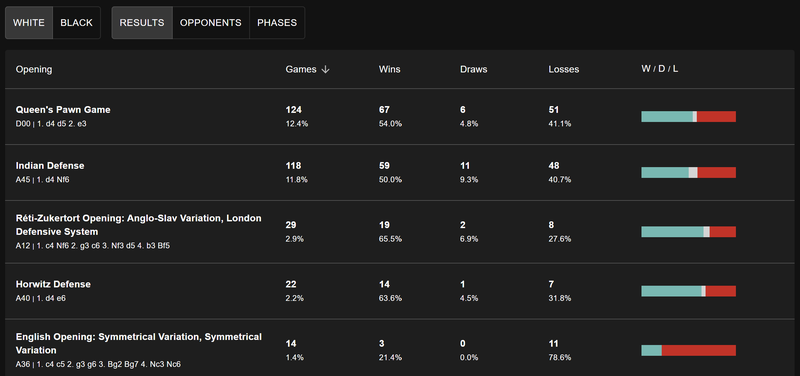
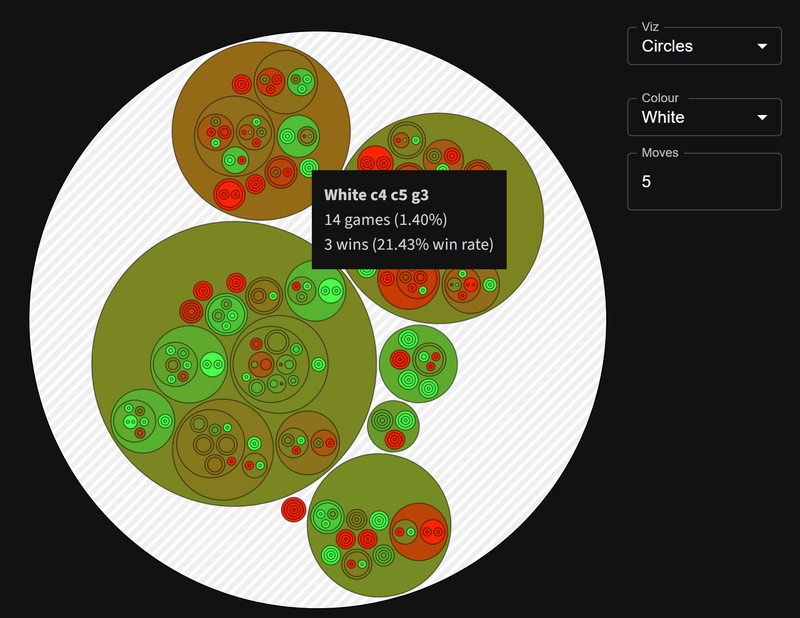
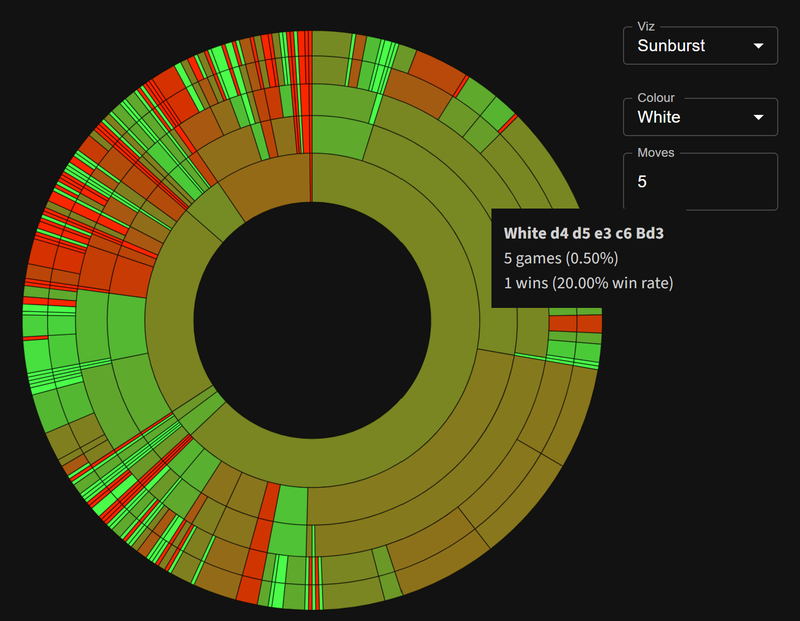
    See your win rate by opening lines, to quickly spot strengths and weaknesses.
    image.png
    image.png

    • Matchday Scout: Prepare for upcoming games by comparing your profile against potential opponents. This tool will help you identify your strengths and exploit your opponents’ weaknesses, giving you a quick way to find your strategic edge.

    5. User Profiles

    With the introduction of user profiles, you can now keep track of your progress on the site. Customize your chessboard colours and pieces to suit your preferences and enjoy a much-requested dark mode for a more comfortable and visually appealing experience.

    image.png
    image.png

    6. Mobile Application

    In an effort to make Chessboard Magic more accessible and convenient, we are working on developing a mobile application. This app will allow you to play on the go, with the goal of not requiring an internet connection to access any part of the site where possible. Imagine the convenience of enjoying all these features offline – how cool would that be?
    These upcoming features and games are designed to enhance your chess playing experience, making learning and playing chess more enjoyable and accessible. Stay tuned for more updates, and thank you for being part of the Chessboard Magic community!

    Note: I am a not a programmer by trade, and a new father, so these features will be released when time permits.

    Social Media

    I have created a Facebook Page facebook.com/chessboardmagic and a Twitter handle twitter.com/chessboardmagic, where I will be sharing daily puzzles from the various games. Follow along for regular updates and join the conversation! I have incorporated links into the website.

    An Idea for a Chess Related Sudoku? Possible?

    I have been experimenting with the idea of creating a chess variant of Sudoku, just for fun. Currently, I have one in the pipeline which is essentially Sudoku but chess-themed, where Queens (Q) represent 9 and Rooks (R) represent 5. However, I wanted to get more creative and have been banging my head against the wall with the following concept:
    Each row, column, and 3×3 grid must contain:

    • 1 King (K)
    • 1 Queen (Q)
    • 2 Rooks (R)
    • 2 Bishops (B)
    • 2 Knights (N)
    • 1 Pawn (P)

    The catch is that the King must be in the same number of checks across the entire grid. I believe this would be incredibly challenging but also super interesting.
    I am reaching out to the community to see if such a game would even be mathematically possible. If you have any ideas, suggestions, or know of similar concepts, please let me know. Your input would be invaluable in bringing this idea to life.

    Support & Appreciation

    I have received a tremendous amount of feedback and suggestions from users on how to improve Chessboard Magic. Your insights have been invaluable, and I am continuously working to make the platform better. Additionally, I was generously gifted two months’ worth of wings for Lichess and frequently asked about setting up a Patreon for ongoing support. I explored this option, and for those who wish to support my work, I have set up a Patreon page (https://patreon.com/chessboardmagic). This allows anyone who wants to contribute to do so in a way that feels comfortable for me and keeps the spirit of Chessboard Magic alive and thriving.
    My goal is to ensure that this platform can be free forever (not sure how realistic that would be given the traffic) and avoid splashing ads all over the website. I personally built this website in a fashion that I like—simple, clean, and minimalist. I want to spread the love of chess and give the chess community a little something back, however insignificant.

    Summary

    Once again, thank you to everyone who has been part of this journey. Your support means the world to me, and I look forward to continuing this magical adventure together. Do feel free to leave me a comment in the discussion as your feedback is super valuable.

    Stay tuned for more updates, and happy chess playing!

    Warm regards,
    Toan Hoang (@HollowLeaf)
    Creator of Chessboard Magic

  • Welcome to Chessboard Magic

    Welcome to Chessboard Magic

    Chessboard Magic—a platform with fun chess puzzles and games for all levels. Join me to explore this exciting blend of chess and technology!

    Three years ago, I got hooked on chess and started spending tons of time learning and watching games. A few months ago, I decided to combine my love for chess with my passion for technology and programming. I began creating various chess apps to help myself (and others) improve. While working on a deep, AI-driven game analyzer, I decided to switch gears and create some fun puzzles instead. So, I’m excited to share the initial release of Chessboard Magic with you, featuring several puzzles for you to enjoy.
    https://chessboardmagic.com

    Games on Chessboard Magic

    • Guess the Elo
      “Guess the Elo” challenges you to estimate the Elo rating of a player based on their gameplay. It’s a fun way to test your understanding of different skill levels and see how accurately you can judge a player’s proficiency.
    • Play the Opening
      “Play the Opening” allows you to practice various opening moves. It’s a great way to learn and memorize different opening strategies, helping you to build a solid foundation for your games.
    • Guess the Opening
      In “Guess the Opening,” you’re shown a series of moves from a game and must identify the name of the opening. This game is perfect for improving your knowledge of chess theory and history.
    • Guess the Eval
      “Guess the Eval” presents you with different chess positions, asking you to guess the computer evaluation of the position. It’s a great tool for honing your ability to assess board positions accurately.
    • Chess Slider
      “Chess Slider” is a 4×4 sliding puzzle game where you move tiles to reassemble a chess position. It’s a fun and challenging way to improve your problem-solving skills and spatial awareness.
    • Wordsearch (Coming Soon)
      The classic wordsearch game, with a chess-themed twist, is on its way. You’ll search for chess terms and famous player names, providing a relaxing yet engaging activity.
    • Hangman (Coming Soon)
      Our take on the traditional hangman game will feature chess terminology, allowing you to test your knowledge of chess vocabulary in a fun and interactive way.

    The best part is that it’s free, and you can play as many times as you want.

    The Technology

    Chessboard Magic is built with a solid, modern tech stack. We use Chessboard.js and Chess.js for all the core chess functions, making sure the gameplay is smooth and accurate. The frontend runs on React, giving it a dynamic and user-friendly feel, so it’s easy and fun to use.
    I also tapped into various public and open-source databases for chess openings, evaluations, and anonymous games.

    Looking Forward

    I’m excited to share Chessboard Magic with you all and would love to hear your thoughts and feedback. I hope you enjoy the games and find them both entertaining and educational. Feel free to reach out with any feedback or suggestions. Your input will help make Chessboard Magic better.